We use the same tools our clients do. That's the whole idea.
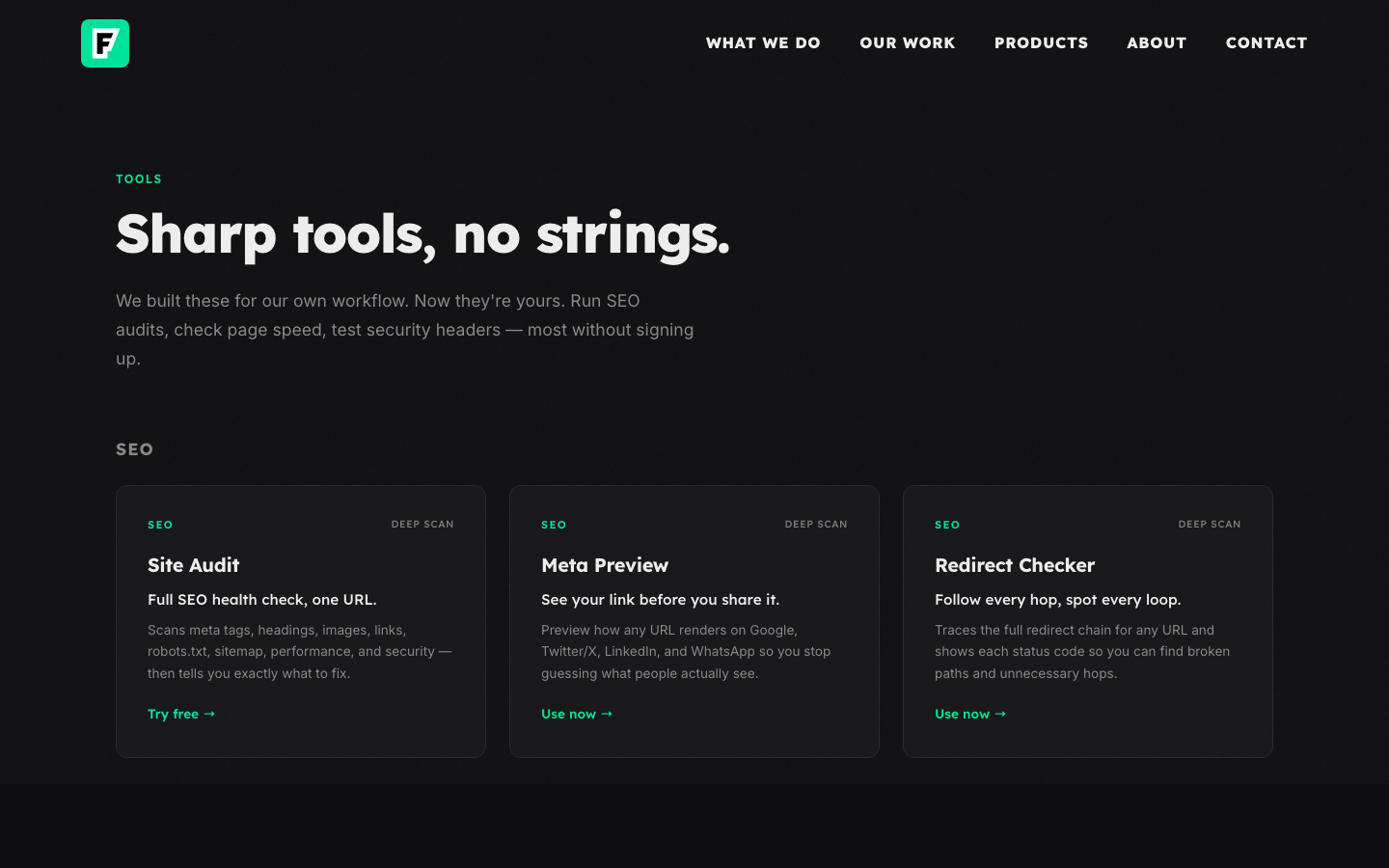
We built nine free web tools — a site audit, a speed checker, an SSL validator, and six more — and put them at fanxielab.com/tools. No signup, no account. Just paste a URL and get results.
This post is the behind-the-scenes: why we built free web tools, what each one actually does, and what we learned about giving work away for free.
Why Build Free Tools When We Sell Services?
We run a small studio. A good chunk of what we do involves looking at someone's existing site and figuring out what needs work — checking meta tags, running speed tests, tracing redirects, reviewing security headers. We were doing the same checks over and over.
So we built tools to do it faster. At first, they were internal — ugly, functional, nobody else needed to see them. If we made them public, every person who runs a free SEO audit tool on their site is doing exactly what our clients do before they hire us. They're looking at the results and thinking, "I need someone to fix this."
That's not a marketing trick. It's just what happens when you show someone their own problems.
9 Free Web Tools for SEO, Speed, Security & Design
We organized them into four categories. Each one started as an internal tool we kept reaching for during client work.
Site Audit
Full SEO health check — meta tags, headings, links, sitemap, and more.
Server scanMeta Preview
See how any URL renders on Google, Twitter/X, LinkedIn, and WhatsApp.
Server scanRedirect Checker
Follow every hop in a redirect chain with status codes.
Server scanSpeed Check
TTFB, page weight, Core Web Vitals, and full resource breakdown.
Server scanImage Optimizer
Compress and convert images entirely in your browser.
Runs in browserSSL Check
Certificate validity, expiry, mixed content, and HSTS config.
Server scanHeaders Check
Security header analysis rated by severity.
Server scanContrast Checker
WCAG contrast ratios for any two colors — AA and AAA.
Runs in browserFavicon Generator
One image in, every favicon size out — ICO, Apple Touch, Android.
Runs in browserHow each tool works
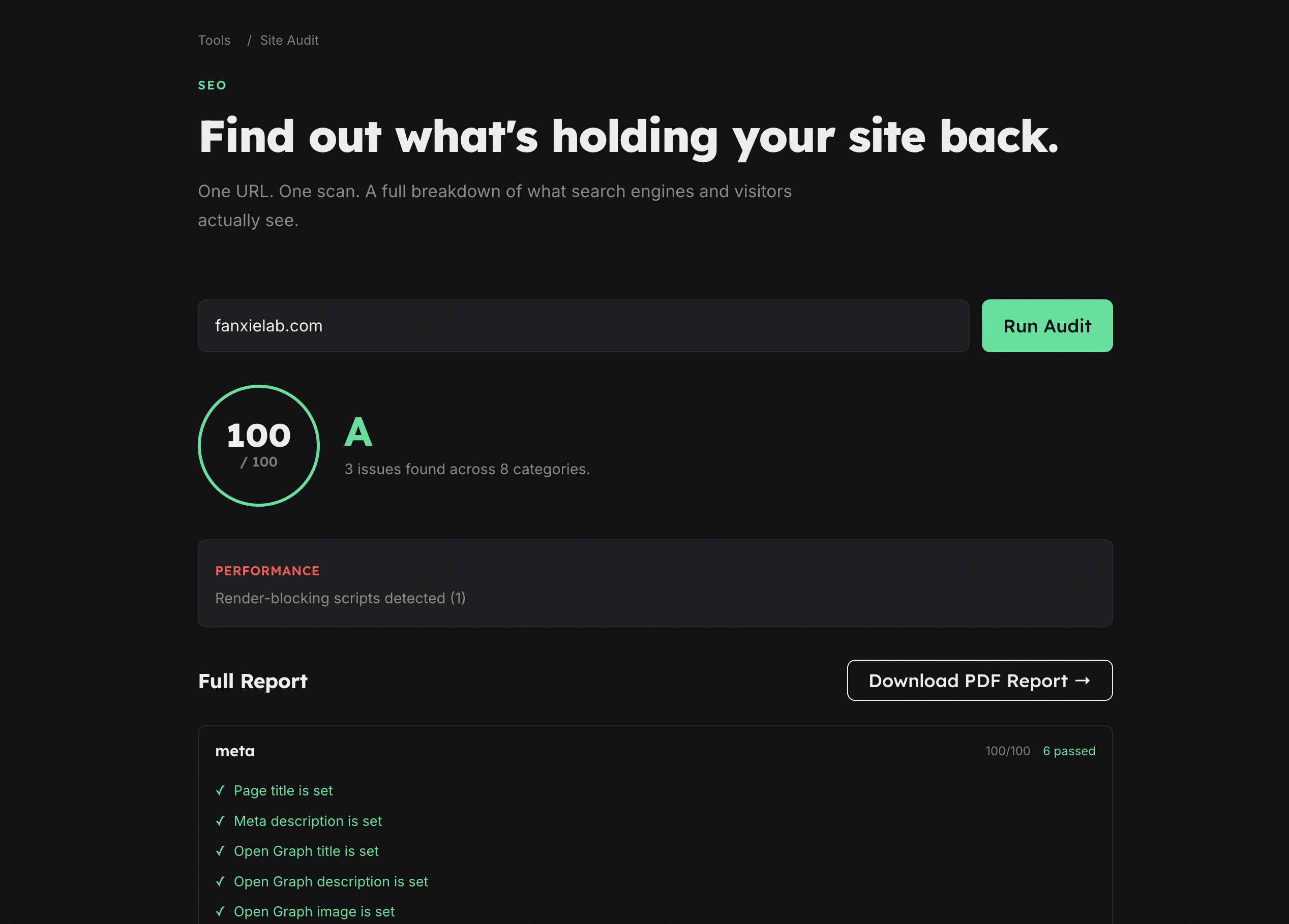
Site Audit is the deepest tool in the set. One URL in, full SEO health check out. It scans meta tags, heading structure, image alt text, internal and external links, robots.txt, sitemap, performance basics, and security headers. Then it tells you exactly what to fix and why it matters.
We built this because most free SEO audit tools either give you a useless score with no context or hide the real findings behind a paywall. Ours shows everything.
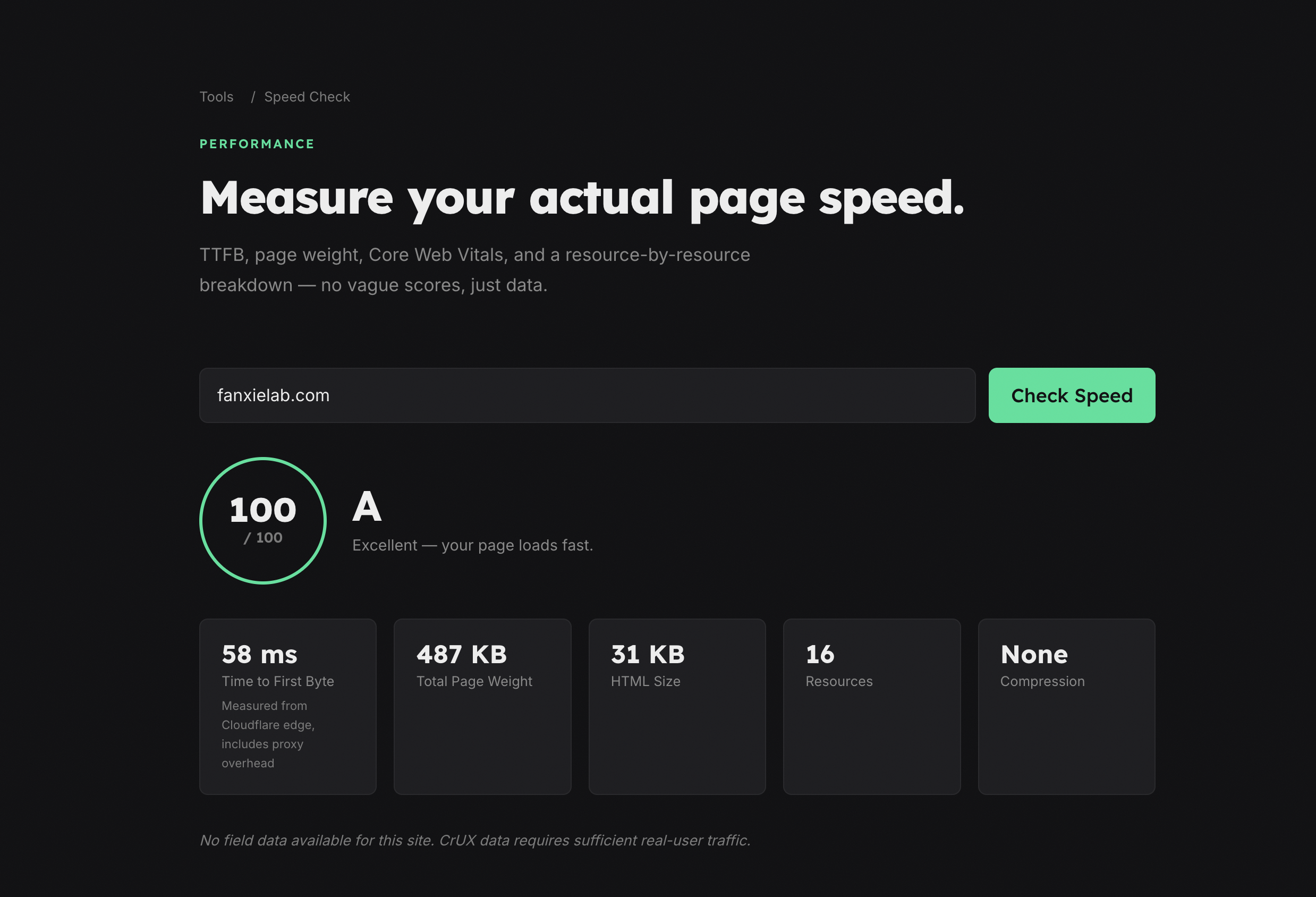
Speed Check is our website speed checker. It measures TTFB, total page weight, Core Web Vitals, and gives you a full resource breakdown so you know exactly what's slowing things down. We built this because Lighthouse scores are useful but not the whole picture. A site can score 90 and still feel slow if the TTFB is 3 seconds.
Meta Preview is our meta tag preview tool — it shows how any URL renders on Google, Twitter/X, LinkedIn, and WhatsApp before you share it. Open Graph tags are one of those things that look fine in the code but break in unpredictable ways depending on the platform. This saves the guesswork.
Redirect Checker follows every hop in a redirect chain and shows each status code. Sounds simple, but redirect loops and unnecessary hops are one of the most common (and most invisible) SEO problems we find in audits. A single 302 where there should be a 301 can quietly tank your rankings for months.
Image Optimizer compresses and converts images entirely in your browser. Nothing gets uploaded — everything runs client-side. We added this because unoptimized images are the single most common performance problem on the sites we audit. Shaving 2MB off a homepage load makes a measurable difference.
SSL Check is our SSL checker — it verifies certificate validity, expiry dates, mixed content issues, and HSTS configuration. We've seen more expired certificates on live production sites than anyone should be comfortable with.
Headers Check is a security headers check that analyzes your headers and rates each one by severity. Most sites are missing at least three or four headers they should have, and most site owners have no idea. This tool tells you which gaps actually matter.
Contrast Checker gives you WCAG contrast ratios for any two colors. AA and AAA, large and small text. We use this on every project because accessibility isn't optional — and eyeballing contrast doesn't work.
Favicon Generator takes one image and generates every favicon size you need — ICO, Apple Touch, Android, and manifest icons — in a single download. We built this because setting up favicons correctly is tedious, easy to get wrong, and nobody should spend more than 30 seconds on it.
What We Actually Learned
People use tools they trust
The tools that get the most use are the ones that give you real information — Site Audit and Speed Check — because people come back to them.
A free tool that actually helps is better marketing than a blog post about why you should hire us.
Simple tools solve real problems
The Favicon Generator and Contrast Checker are the simplest tools in the set. They took the least time to build and they solve the most universal problems. Nobody needs an SEO audit every day, but anyone shipping a site needs favicons and accessible color pairs. Sometimes the smallest tool removes the most friction.
Every tool is a conversation starter
Every tool page has a soft CTA at the bottom — "Need more than a free tool can fix? We build and optimize sites for a living." It's not aggressive. It's not a popup. It's just there.
And it works. Someone who just saw a 6-second load time is already thinking about what to do next.
Build for yourself first
Every one of these tools started as something we needed. The Site Audit replaced a manual checklist we'd been running for years. The Image Optimizer replaced a workflow that involved opening Photoshop or bouncing between other web tools — scattered and slow. The Redirect Checker replaced curl one-liners in the terminal.
When you build for yourself first, you know exactly what the tool needs to do.
What's Still Internal
There's more we haven't made public yet. We have a private endpoint that runs an extensive check against any site — every check from the tools above, combined into a single scan. It's part of our workflow now, and it's the first thing we run at the start of every new project.
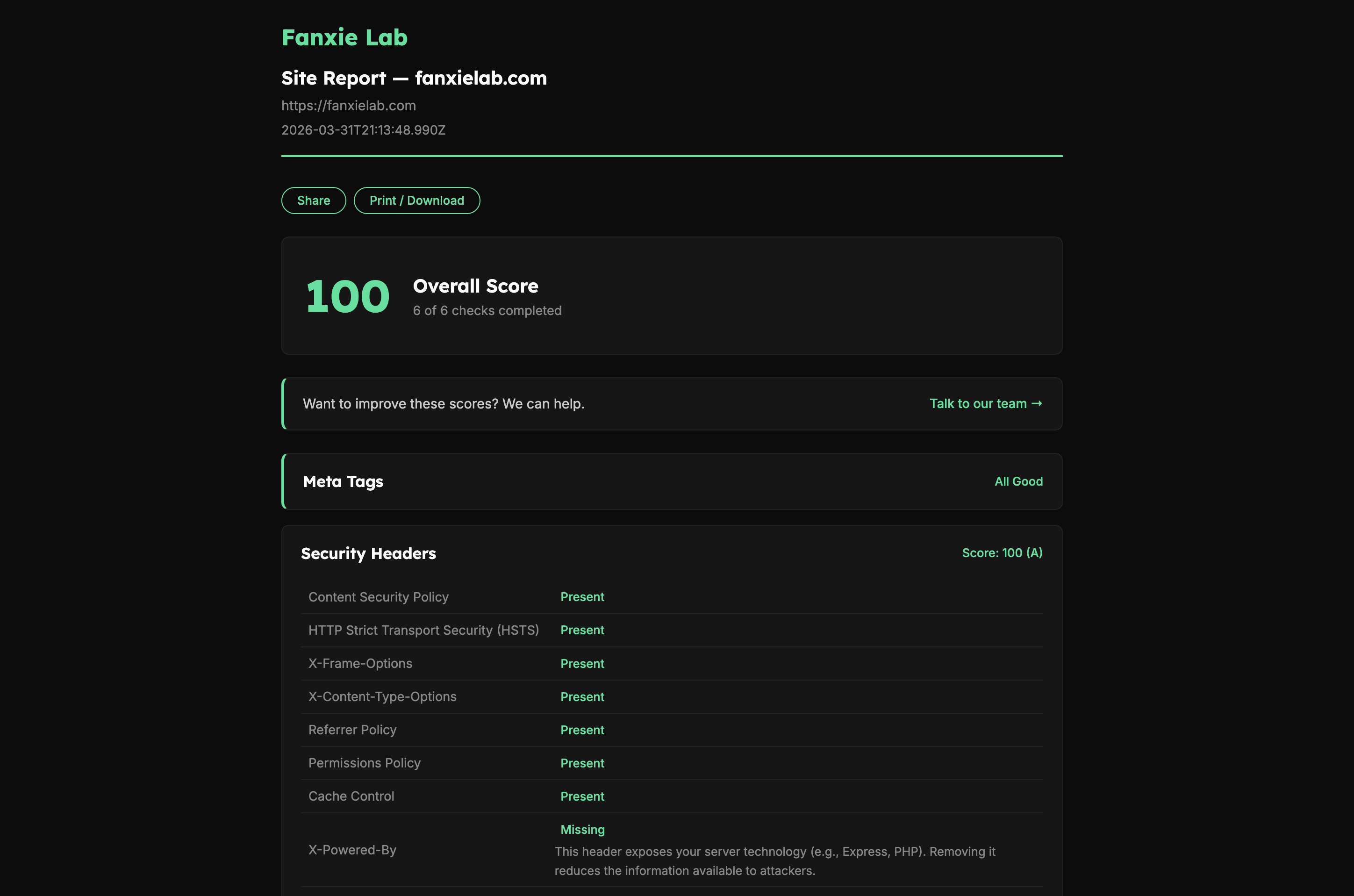
Not every tool needs to be public to be useful. But the ones that are tend to start conversations.
All nine tools live at fanxielab.com/tools. If the results look like they need professional attention — that's what we do.
We're Fanxie Lab, a small studio in Colombia building sites, apps, and tools — like the nine above. We've been at this since 2016.